How to find and fix broken links on a WordPress site
WordPress never tells you when a link stops working. To find the broken ones, click through your pages or run a link checker. Then open each page in the editor and point the link to a page that exists, or remove it.
Rather see it on your own site? Run the free check-up.
Why a broken link matters
A visitor who clicks a link and lands on an error page has hit a dead end. Some go back and look for another way; many leave. Links break quietly, and nothing in WordPress warns you:
- you renamed or deleted one of your pages, and its address changed;
- another website moved or removed the page you linked to;
- a PDF or a form was taken out of your media library;
- an address was typed by hand, with a typo.
How to find them by hand
WordPress has no report of broken links. Three ways to make one:
- Click through your site. For a small site, open each page as a visitor and click every link, the menu and the footer included.
- Google Search Console. If your site is in it, its Pages report lists the addresses of your own site that answer "Not found (404)". It does not test your links to other websites.
- A link checker. It follows the links of your pages and lists those that fail. The free check-up at the end of this page is one: it reads up to 25 pages and follows up to 60 of their links.
How to fix a broken link in WordPress
In the block editor:
- Open the page or post that holds the link (Pages or Posts, then its title).
- Click the linked words. A small box shows where the link leads.
- To point it elsewhere, click the pencil, paste the address of a page that exists and press Enter. To keep the words without the link, click the button with a broken chain.
- Save the page.
A link in your menu is in Appearance, Menus, or Appearance, Editor, Navigation with a block theme. A link in a sidebar or the footer is in Appearance, Widgets, or in the footer of Appearance, Editor.
Deleted a page on purpose? Send its old address to the page that replaces it with a redirect (a redirect plugin does it), so the links of other websites keep working too. If nothing replaces it, remove the link and keep the words.
How LaminarFlow does it
- Free check-up
- Follows up to 60 links of the pages it reads and lists those that lead nowhere, page by page. Once your site is connected, Autopilot follows the links of your pages, posts, menus, widgets and footer.
- The fix
- Connect your WordPress site to Autopilot, which takes about a minute. Fix points a link to its new page only when that page is certain, such as the page an old address now redirects to. It takes a link out on its own only when nothing else is lost, such as a lone "Read more." Every other dead address gets one card in your inbox, and one answer covers every page that links it.
- Your OK
- Each fix waits in your inbox as a draft, before and after. Nothing changes on your site before you approve it, and every change keeps an Undo for 60 days.
- Cost
- Dead links never use an AI fix, during the free trial or after it.
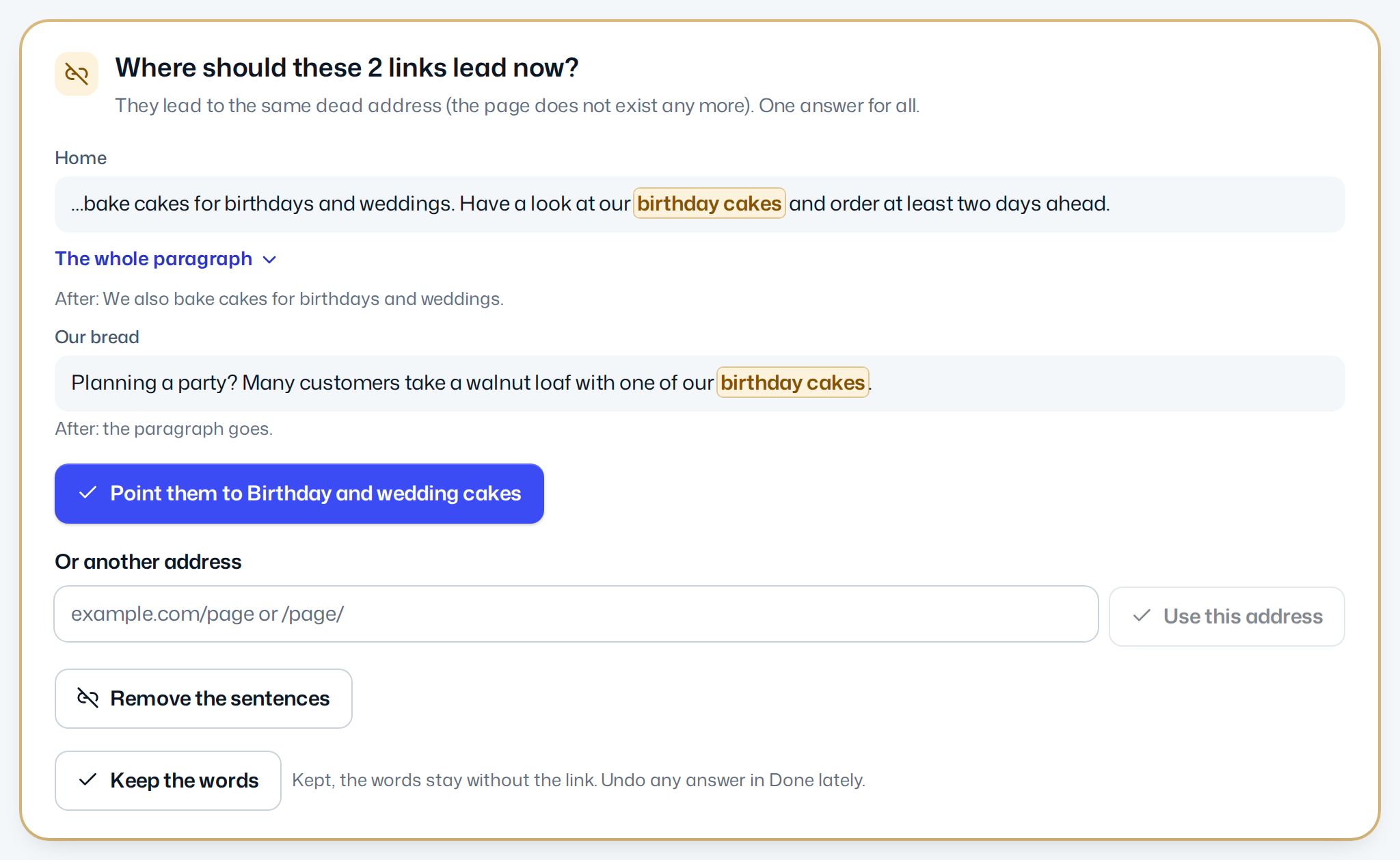
Every detail, in the documentation: Dead links.
Questions
Does WordPress check for broken links by itself?
No. WordPress never tests the links in your pages. Clicking through your site, Google Search Console or a link checker such as the free check-up will find them.
Do broken links hurt my search ranking?
A few dead links do not sink a site in search results. They cost you visitors, though: each one is a person who hit a dead end, and search engines cannot follow it to the page it meant.
How often should I check my links?
After you rename, move or delete a page, and every few months otherwise, since other websites move their pages without telling you. With a paid plan, Autopilot checks your site every month.
Will Autopilot rewrite my text?
No. When a link is pointed to a new page, its words stay as they are. Autopilot removes something on its own only when it holds nothing but the dead link, such as a lone "Read more." Every other dead link waits for your choice.